
Portable power stations have become essential tools for camping, emergency backup, and off-grid living, but their reliability depends entirely on how well they are maintained. To maintain a portable power station effectively, users should keep the battery within its recommended charge range, store it in cool and dry conditions, and avoid extreme temperatures or deep discharges that accelerate wear on lithium-ion cells. Without proper care, even high-quality units can experience reduced runtime, capacity loss, and premature failure.
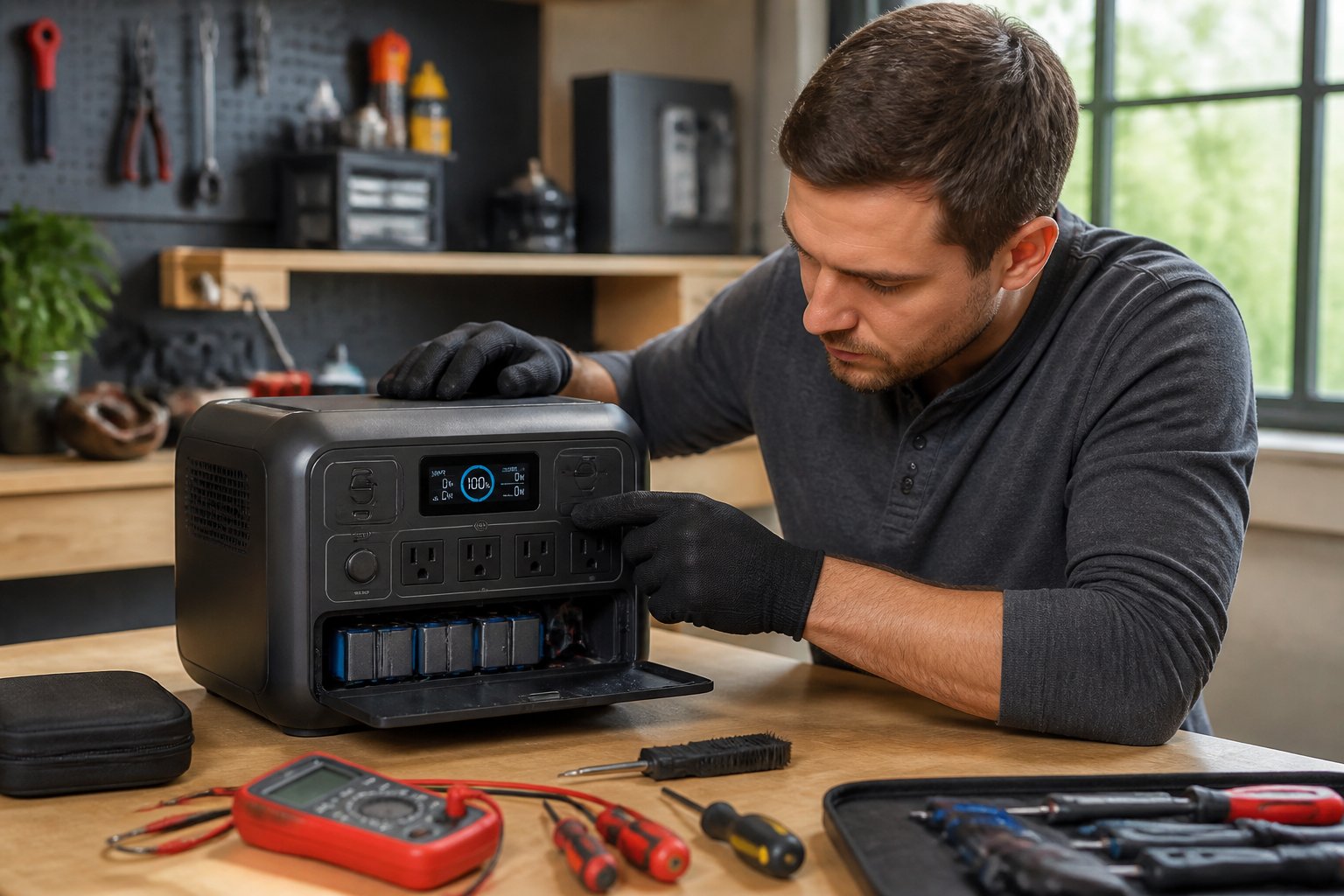
The key to long-term battery health lies in understanding how these devices work and what they need to perform reliably year after year. Most portable power stations use lithium-based batteries designed for hundreds or thousands of cycles, but their lifespan depends on charging habits, storage practices, and how hard the inverter and components are pushed during use. Small mistakes like leaving the unit at 100% for months or running it in extreme heat can quietly damage the battery and reduce its ability to hold a charge.
This guide covers everything needed to keep a portable power station in top condition, from battery chemistry basics and optimal charging practices to storage tips, physical care, and troubleshooting common issues. Whether someone uses their unit occasionally for emergencies or relies on it daily for off-grid power, these maintenance strategies will help protect the investment and ensure the device works when it matters most.
Understanding Battery Chemistries and Cycle Life
The battery chemistry in a portable power station determines how many charge cycles users can expect and how well the unit performs over years of use. LiFePO4 cells typically deliver 2,000–5,000+ cycles to 80% capacity, while standard lithium-ion variants often reach 1,000–2,000 cycles under similar conditions.
Key Differences Between Lithium-Ion and LiFePO4
Standard lithium-ion batteries (often NMC—nickel manganese cobalt) pack more energy into smaller spaces, making them lighter for a given capacity. The EcoFlow Delta 2 and Anker Solix C1000 Gen 2 both use li-ion variants to balance weight and power density. NMC cells handle around 1,000–2,000 full cycles before dropping to 80% of original capacity.
Lithium iron phosphate (LiFePO4) trades energy density for longevity and thermal stability. LiFePO4 chemistry tolerates deeper discharges and wider temperature ranges without the same degradation speed. Users often see 2,000–5,000+ cycles with LiFePO4, making it ideal for frequent use or off-grid setups where replacement intervals matter more than shaving a few pounds.
Heat accelerates aging in both chemistries, but NMC degrades faster at elevated temperatures. LiFePO4 maintains capacity longer under stress, which is why many manufacturers choose it for units meant to run daily or in hot climates.
Importance of Cycle Life and Battery Longevity
Cycle life measures how many full charge–discharge events a battery completes before usable capacity falls below a manufacturer-defined threshold, typically 80%. A station rated for 3,000 cycles at 80% depth of discharge will deliver years of service if cycled once per day, while a 1,000-cycle unit requires earlier replacement under the same use.
Shallower cycling—charging between 20% and 80% instead of 0% to 100%—extends effective cycle counts significantly. Partial cycles reduce electrode stress and lithium plating, so users who avoid frequent full discharges often double practical lifespan.
Operating temperature directly affects cycle longevity. Charging or discharging li-ion batteries above 40°C or below freezing accelerates capacity fade and increases internal resistance. Storing units at moderate temperatures and around 50% state of charge during inactive periods minimizes calendar aging and preserves rated cycles.
Role of Battery Management Systems (BMS)
A battery management system monitors cell voltages, temperatures, and current to prevent overcharge, over-discharge, and thermal runaway. The BMS in units like the EcoFlow Delta 2 or Anker Solix C1000 Gen 2 balances individual cells during charging so weaker cells don’t limit the entire pack.
Cell balancing is critical in multi-cell packs. Without active balancing, voltage drift between parallel or series cells creates localized stress that shortens overall lifespan and reduces usable capacity. A robust BMS equalizes charge across cells and cuts power before unsafe thresholds.
Modern BMS firmware can optimize charge profiles to reduce stress per cycle. Some systems lower charge voltage slightly or limit fast-charge currents after many cycles, trading peak power for extended longevity. Users should apply manufacturer firmware updates when available, as refined algorithms often improve thermal management and balancing accuracy.
Optimal Charging and Discharging Habits
Battery longevity depends heavily on how users manage charge and discharge cycles, with proper depth of discharge control and smart charging practices extending useful lifespan by years. Maintaining optimal state of charge ranges and avoiding extremes protects battery cells from unnecessary stress.
Best Charge Range for Battery Life
The ideal charge range for portable power stations sits between 20% and 80% state of charge. Operating within this window minimizes chemical stress on battery cells and significantly extends cycle life for both lithium-ion and LiFePO4 batteries.
Depth of discharge (DoD) directly impacts battery longevity. A DoD of 20-80% means discharging only to 20% before recharging to 80%, which reduces strain compared to full cycles. Lithium-ion batteries typically deliver 500-1,000 cycles but can achieve more when kept within this optimal range. LiFePO4 batteries offer 2,500-3,500+ cycles and tolerate deeper discharges better, though they still benefit from the 20-80% practice.
For storage charge level specifically, maintain 50-80% charge during extended periods of inactivity. This range prevents the high-voltage stress of full charges and the degradation risk of deep discharge. Check stored units every 3-6 months and recharge as needed to maintain this storage charge level.
Avoiding Deep Discharge and Overcharging
Deep discharge occurs when batteries drain below 10%, forcing cells to work harder during recharge and accelerating capacity loss. The battery management system prevents critical damage by shutting down before reaching true zero, but frequent drops below 20% still reduce lifespan.
Users should avoid overcharging by unplugging units shortly after reaching 100% rather than leaving them connected indefinitely. Prolonged storage at full charge increases chemical degradation, particularly in lithium-ion chemistries. While the BMS helps prevent overcharging during active charging, it cannot eliminate stress from extended 100% storage.
Practical battery care involves monitoring the display or app regularly. Recharge when the unit reaches 10-20% capacity rather than waiting for low-battery warnings. After charging to 100% for immediate use, discharge slightly to 50-80% if the unit will sit unused for more than a week.
Smart Charging Practices and Firmware Updates
Smart charging begins with using the correct charger supplied by the manufacturer. These chargers match the specific voltage, current, and charge rate requirements designed for the unit’s battery management system. Third-party chargers may deliver incompatible power levels that reduce efficiency or create safety hazards.
Temperature affects charging safety and effectiveness. Charge only within 0-40°C (32-104°F) to prevent lithium plating in cold conditions or thermal stress in heat. Most units block charging below freezing automatically through BMS protections, but users should verify conditions before initiating charge cycles.
Firmware updates improve battery management algorithms and charging protocols. Manufacturers release updates to optimize charge rates, enhance BMS protection, and fix bugs that could affect battery maintenance. Check the official website or companion app every few months for available updates. Installation typically requires connecting via USB or Wi-Fi according to manufacturer instructions.
Regular Exercise Cycles for Battery Health
Regular exercise cycles prevent battery stagnation during storage periods. Batteries benefit from occasional full discharge-recharge cycles (0-100%) every 6-12 months to recalibrate the BMS and maintain accurate state of charge readings.
For units in regular use, no special exercise routine is necessary beyond normal charge and discharge patterns. The battery receives adequate cycling through typical operation. However, units stored long-term should undergo a maintenance cycle every 3-6 months: discharge to 30%, recharge to 60%, then return to the 50-80% storage charge level.
Avoid excessive calibration cycles, as frequent deep discharges counteract the protective benefits of the 20-80% range. Limit full 0-100% cycles to manufacturer-recommended intervals only. Between exercise cycles, maintain standard battery care practices focused on partial charge ranges and proper storage conditions.
Safe Storage and Environmental Considerations
Environmental factors play a decisive role in maintaining battery health and preventing premature degradation. Temperature control and proper storage protocols can extend battery lifespan by 200-300% compared to units stored in harsh conditions.
Ideal Storage Temperatures and Locations
The optimal storage temperature range for portable power stations falls between 50°F and 77°F (10°C to 25°C). This range keeps battery chemistry stable and minimizes self-discharge rates.
Garages, sheds, and attics typically experience temperature extremes that accelerate battery degradation. A power station stored in a 100°F garage can lose 15-20% of its capacity within a year. Climate-controlled spaces like basements, utility rooms, or bedroom closets provide much better environments.
Operating temperature differs from storage temperature. Most units can operate safely from 32°F to 104°F, but charging should only occur between 32°F and 95°F. Many modern power stations include thermal protection that prevents charging outside safe temperature ranges.
Humidity matters too. Storage areas should maintain humidity below 60% to prevent condensation and corrosion on electrical contacts. Avoid damp basements or areas prone to moisture buildup.
Managing Self-Discharge and Capacity Loss
All lithium batteries experience self-discharge during storage, though the rate varies based on temperature and charge level. A power station stored at 77°F loses approximately 2-3% charge per month, while the same unit at 95°F can lose 5-8% monthly.
Storage at 50-60% charge minimizes capacity loss over time. Units stored at 100% charge experience accelerated chemical degradation, while those stored below 20% risk voltage dropping too low for the battery management system to recover.
Check stored power stations every 2-3 months and recharge if the level drops below 40%. This periodic cycling keeps the battery active and prevents deep discharge damage. Setting calendar reminders ensures this maintenance doesn’t get overlooked.
Long-Term Storage Best Practices
For storage periods exceeding three months, charge the unit to 50-60% before putting it away. Remove any connected devices and turn the unit completely off rather than leaving it in standby mode.
Store the power station in its original case or a protective container to shield it from dust and physical damage. Keep it away from direct sunlight, which can heat the exterior and affect internal temperatures.
Long-term storage checklist:
- Charge to 50-60% capacity
- Store in climate-controlled space (50-77°F)
- Keep away from direct sunlight and moisture
- Disconnect all cables and accessories
- Check and recharge every 2-3 months
- Update firmware before extended storage
Vertical storage is acceptable for most units, but check manufacturer recommendations. Some models have specific orientation requirements to prevent internal component stress.
Effects of Extreme Temperatures
Exposure to extreme temperatures causes both immediate performance issues and cumulative long-term damage. Temperatures below 32°F reduce available capacity temporarily—a fully charged unit might only deliver 60-70% of its rated capacity in freezing conditions.
High temperatures above 95°F accelerate internal chemical reactions that permanently degrade battery capacity. A single summer stored in a hot vehicle can reduce total battery life by 6-12 months worth of normal aging.
Never charge a frozen power station immediately after bringing it indoors. Allow it to warm naturally to room temperature over 2-3 hours before connecting to a charger. Rapid temperature changes create condensation inside the unit.
Similarly, never charge a unit that’s been sitting in high heat. Let it cool to below 85°F before beginning the charge cycle to protect battery chemistry and prevent thermal runaway risks.
Physical Maintenance, Cleaning, and Safety
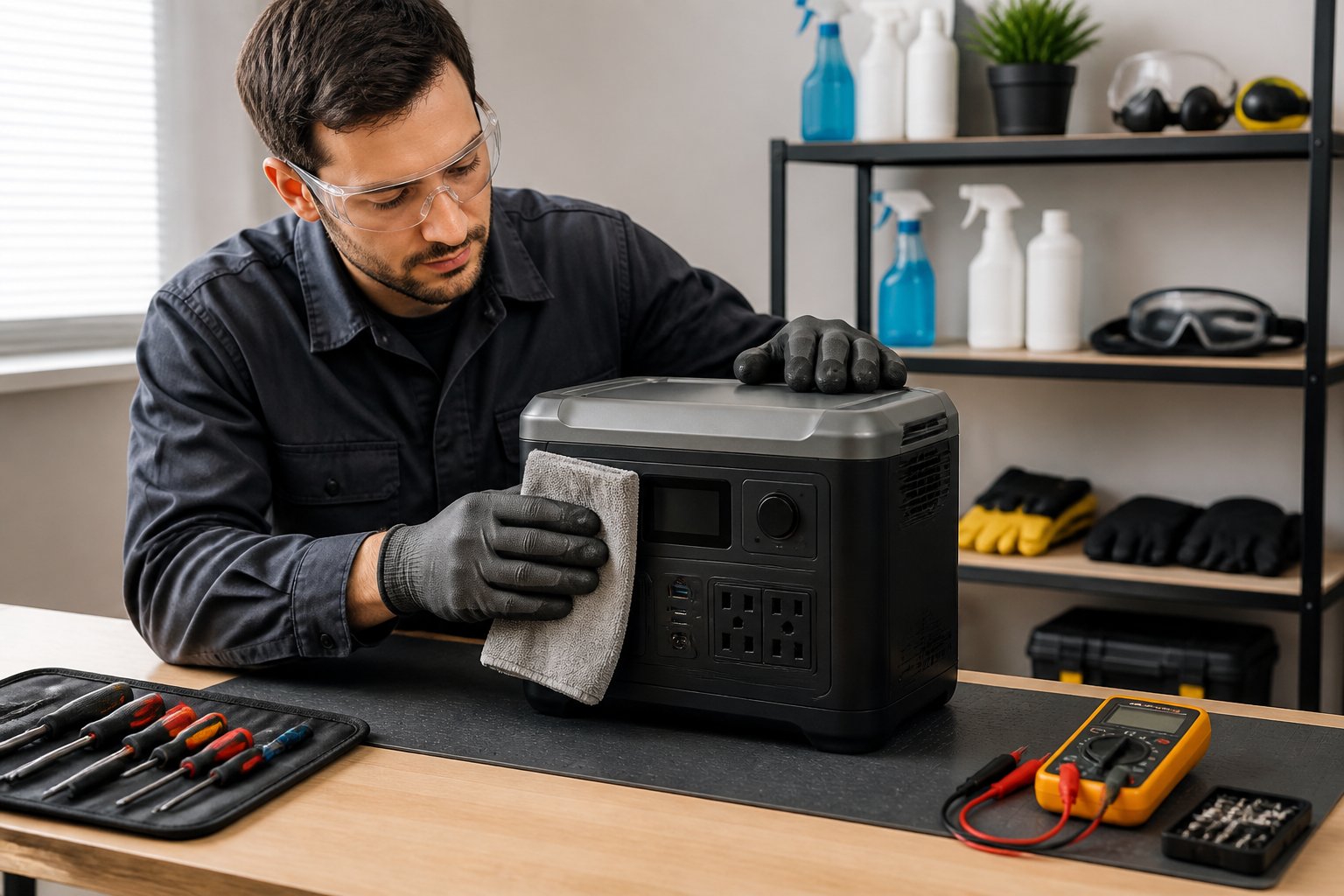
Regular physical upkeep prevents dust accumulation, ensures proper airflow, and identifies potential hazards before they cause failures. Clean surfaces and ports maintain efficient charging, while intact cables protect against electrical risks.
Cleaning Exterior Surfaces and Ports
The exterior of a portable power station accumulates dust, dirt, and debris that can interfere with performance. A soft, lint-free cloth slightly dampened with water effectively removes surface grime without damaging the unit. Users should avoid harsh chemicals, abrasive cleaners, or excessive moisture that could seep into internal components.
Ports require special attention during cleaning sessions. Dust and debris inside charging ports, USB outlets, and AC sockets create poor connections and reduce charging efficiency. A dry microfiber cloth gently wiped around port openings removes loose particles. For stubborn buildup, a soft-bristled brush works well for dislodging material without scratching contacts.
The power station must be completely turned off and disconnected from all power sources before cleaning begins. Water should never be sprayed directly onto the unit or allowed to enter openings.
Maintaining Ventilation and Using Compressed Air
Ventilation openings prevent overheating by allowing heat to escape during operation and charging. Blocked vents force internal components to operate at higher temperatures, which degrades battery cells and shortens lifespan. Owners should visually inspect vent grilles monthly for dust accumulation or obstructions.
Compressed air effectively clears ventilation systems without physical contact. Short bursts from a can of compressed air, held 6-8 inches away from vents, dislodge trapped dust particles. The spray should be directed at an angle rather than straight into openings to prevent pushing debris deeper into the unit.
Users should perform this cleaning outdoors or in well-ventilated areas to avoid breathing dislodged dust. The power station must remain off during the process.
Inspecting and Replacing Damaged Cables
Cables transfer power between the station and devices, making their condition critical for safe operation. Visual inspections should occur before each use, checking for frayed insulation, exposed wires, bent prongs, or cracked connectors. Damaged cables pose fire risks and can damage connected devices.
Any cable showing wear must be replaced immediately with manufacturer-approved alternatives that match the original specifications. Generic replacement cables may lack proper gauge wire or safety certifications, creating hazards. Users should store cables loosely coiled rather than tightly wound, which stresses internal wiring over time.
Connectors should fit snugly without excessive force. Loose connections generate heat and reduce charging efficiency.
Troubleshooting and Avoiding Common Mistakes

Recognizing early warning signs of battery decline, keeping firmware current, and avoiding storage errors can prevent most portable power station failures and extend operational life by several years.
Signs of Declining Battery Performance
Battery degradation shows up through specific measurable changes in how a power station operates. Runtime drops are the most obvious indicator—if a unit that previously powered a 50-watt device for 10 hours now only manages 6-7 hours under identical conditions, the battery cells have likely lost capacity.
Rapid self-discharge during storage signals internal problems. A healthy lithium battery should retain 85-90% of its charge over three months when stored properly. If the station drops from 80% to 40% in just 4-6 weeks without any connected loads, the battery management system may be failing or cells are degrading.
Physical changes require immediate attention. Any swelling, bulging, or deformation of the case indicates dangerous battery expansion. Unusual heat during normal charging or discharging, strange chemical odors, or visible corrosion around ports all warrant stopping use immediately.
The display may show inconsistent readings—jumping from 60% to 20% suddenly, or showing full charge but shutting down within minutes. These issues often indicate BMS calibration problems or actual cell imbalance that requires professional evaluation.
Firmware and Software Troubleshooting
Manufacturers release firmware updates to fix charging bugs, improve battery management algorithms, and resolve compatibility issues with newer solar panels or devices. Most modern power stations with Wi-Fi or Bluetooth connectivity allow updates through companion mobile apps.
Check the manufacturer’s website or app every 2-3 months for available updates. The update process typically takes 5-15 minutes and should only be performed with the battery charged above 50% to prevent interruption. Never disconnect power or turn off the unit during a firmware installation.
If the companion app won’t connect, restart both the power station and the phone, then ensure Bluetooth or Wi-Fi is enabled and the device is within 10-15 feet with no major obstacles. Deleting and reinstalling the app often resolves persistent connection problems.
Error codes displayed on screen correspond to specific issues. E01 typically indicates over-temperature protection, E02 may signal input voltage problems, and E04 often relates to BMS faults. Consult the user manual for model-specific code definitions rather than guessing, as codes vary between manufacturers.
Maintenance Mistakes to Avoid
Storing a power station at 100% charge for extended periods accelerates lithium battery degradation. The optimal storage charge level sits between 50-60%, which minimizes stress on cells during dormancy. Units stored at full charge for 6+ months can lose 20-30% of total capacity permanently.
Temperature extremes during storage cause the most damage. Garages, sheds, and car trunks that exceed 40°C (104°F) in summer or drop below 0°C (32°F) in winter create conditions where batteries age 3-4 times faster than at room temperature.
Letting the battery fully discharge to 0% repeatedly triggers deep discharge protection that stresses cells. Most lithium batteries maintain optimal health when kept between 20-80% charge during regular use. Running to empty once every 2-3 months can help calibrate the BMS, but daily deep discharges shorten lifespan significantly.
Leaving Wi-Fi, Bluetooth, or display backlights active when not needed creates parasitic drain. These features can consume 2-5 watts continuously, depleting a stored unit by 10-15% monthly. Disable connectivity features and use power-saving display modes during storage periods.
Using incompatible solar panels with voltage exceeding the input range can damage the charge controller. Always verify panel specifications match the station’s requirements—a panel with 85V open-circuit voltage will damage a unit rated for 12-60V maximum input.
Advanced Usage Tips for Extended Battery Life
Optimizing how power enters your portable power station can significantly impact battery longevity and overall performance. Solar charging methods, input voltage considerations, and charge rate selection each play distinct roles in preserving battery health over thousands of cycles.
Solar Charging Practices
Solar charging offers sustainable power but requires attention to specific parameters to protect battery health. Most portable power stations accept solar input within a defined voltage range, typically 12V to 48V, with specific open-circuit voltage (Voc) and maximum power point voltage (Vmp) limits listed in the user manual.
Exceeding these voltage limits can damage the charging controller or battery management system. Users should verify their solar panel’s Voc rating never surpasses the station’s maximum input voltage, especially in cold conditions when panel voltage increases.
Partial shading on solar panels creates voltage fluctuations that stress the charging circuit. Positioning panels in full, unobstructed sunlight maintains stable input and improves charging efficiency. Direct sunlight exposure on the power station itself should be avoided, as excessive heat accelerates battery degradation even while charging.
Temperature monitoring becomes critical during solar charging. If the unit’s surface feels hot to the touch or internal fans run continuously, relocating to shade while keeping panels in sunlight prevents thermal stress. Many stations include temperature-based charging protection that automatically pauses charging when thresholds are exceeded.
Input Voltage Management
Different charging sources deliver varying voltage levels that affect charge speed and battery stress. AC wall outlets provide the most stable voltage through the manufacturer’s adapter, while car chargers (12V) and solar panels introduce more variability.
The battery management system regulates incoming voltage, but consistent exposure to voltage at the upper limits of the acceptable range can generate excess heat. Using solar panels or car chargers that operate in the middle of the specified voltage range rather than at maximum limits reduces thermal buildup.
Voltage spikes from unstable power sources or poor-quality adapters can trigger protective shutdowns or gradually degrade battery cells. Third-party chargers lacking proper voltage regulation should be avoided entirely. When using generators as charging sources, inverter generators provide cleaner, more stable power than conventional models.
Monitoring the input wattage display during charging helps identify irregularities. Significant fluctuations or values far below expected levels may indicate voltage issues requiring cable inspection or charger replacement.
Choosing the Right Charge Rate
Most portable power stations support multiple charging speeds, often labeled as standard, fast, or turbo modes. While faster charging saves time, it generates more heat and can reduce overall cycle life, particularly for lithium-ion chemistries.
Standard charging rates between 100W and 200W allow battery cells to accept energy with minimal thermal stress. Fast charging at 400W to 600W increases internal temperature and should be reserved for urgent situations rather than routine use.
LiFePO4 batteries tolerate higher charge rates better than standard lithium-ion cells, but both benefit from slower charging when time permits. Charging overnight at standard rates instead of using rapid charging daily can extend battery life by hundreds of cycles.
Some advanced models allow manual charge rate adjustment through apps or displays. Setting lower rates during long-term storage top-ups (every 3-6 months) further minimizes stress on cells that aren’t being regularly cycled. Balancing convenience with battery preservation requires matching charge speed to actual urgency rather than defaulting to maximum speed.